Whether you’re moving up from the Free plan or switching between paid plans, it only takes a minute. You can also switch between monthly and yearly billing at any time.
Upgrading from the Free Plan
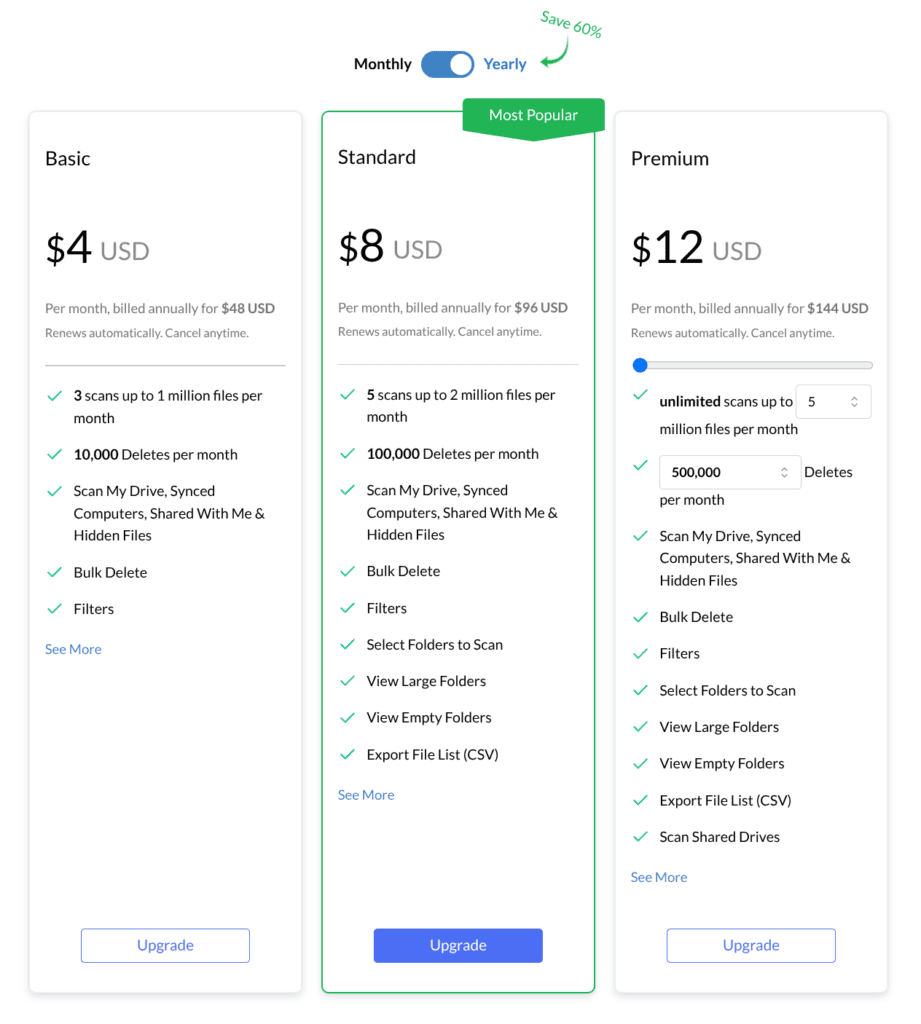
To upgrade from the Free Plan, just visit the upgrade page, select monthly or yearly billing and pick the desired plan. Then enter your payment details in Stripe’s secure checkout, and your account will be automatically upgraded.
How to Change Plans
If you’re already on a paid plan, you can upgrade, downgrade, or switch billing cycles from your account settings. Changes are prorated — you only pay the difference for the time left in your current billing period.
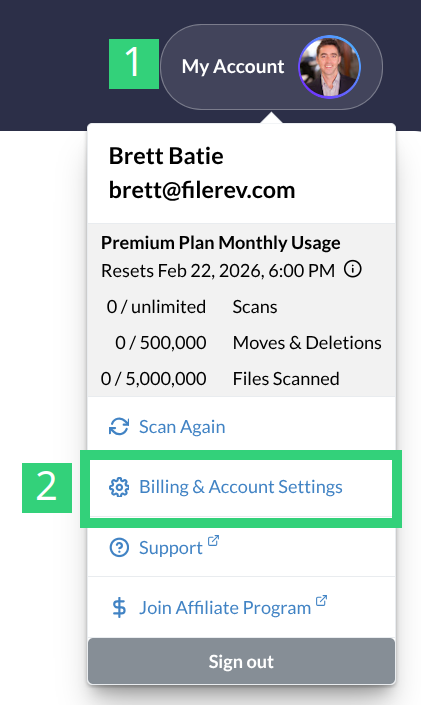
- Visit the Billing & Account Settings page.
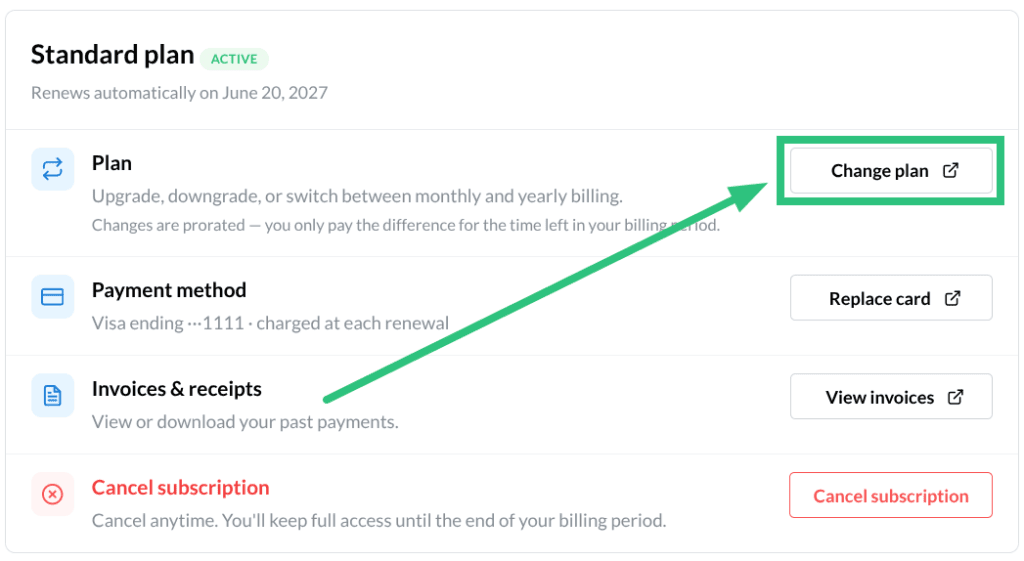
2. Click Change Plan.
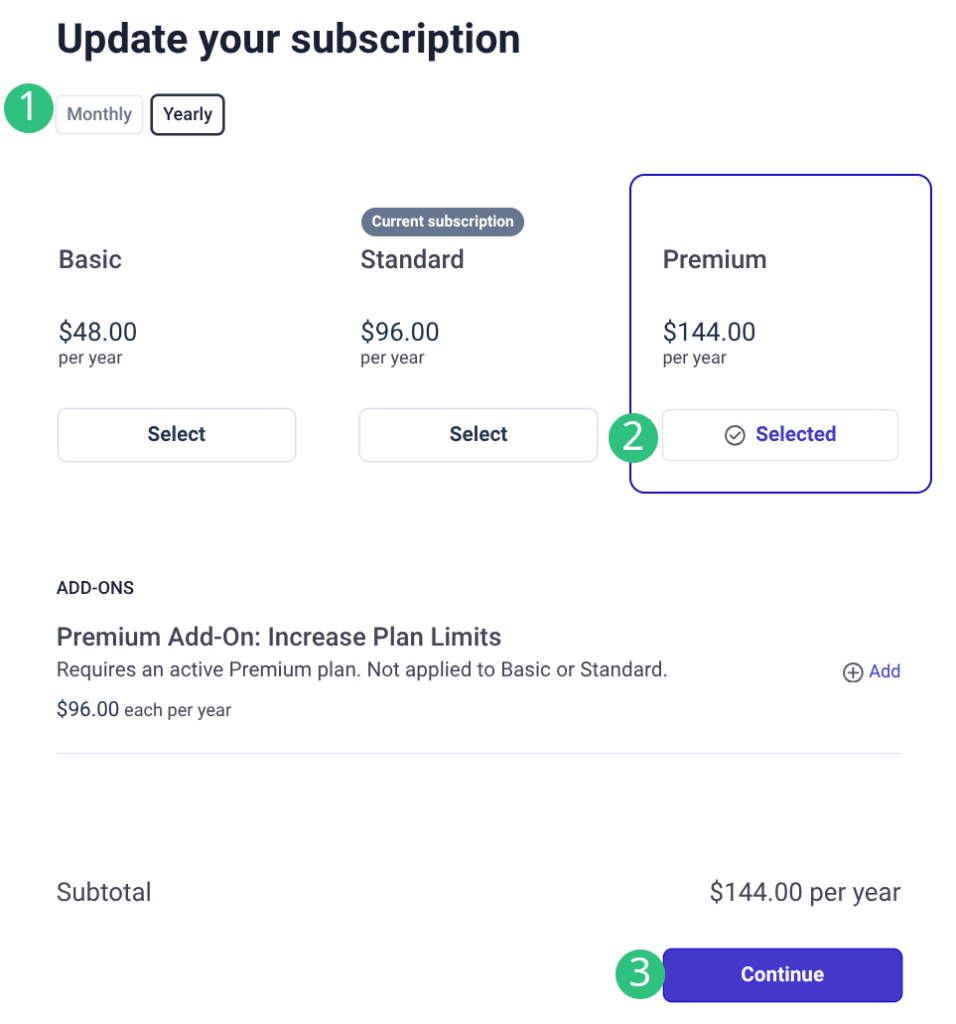
3. Choose Monthly or Yearly, then click Select on the plan you want.
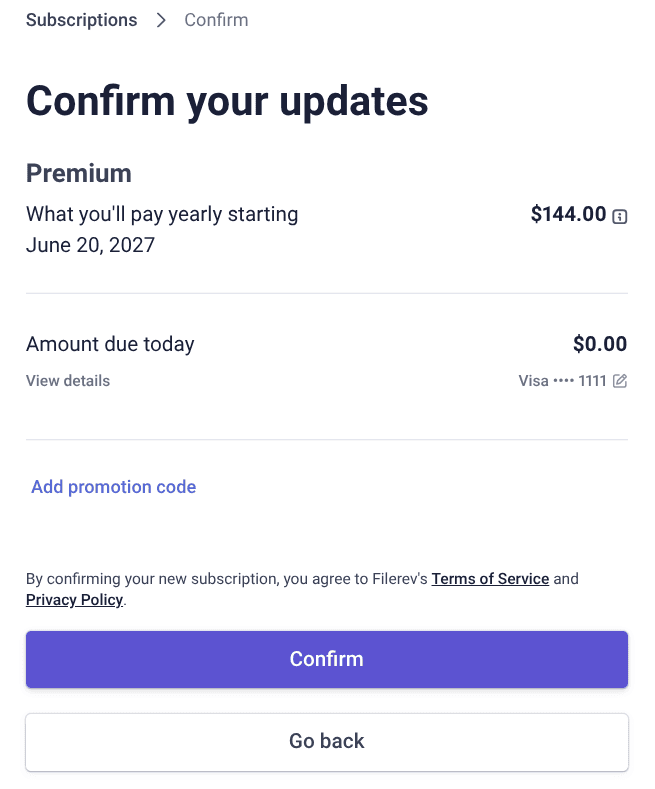
4. Review the amount due today and click View Details to see the prorated credit and charge. Then click Confirm.
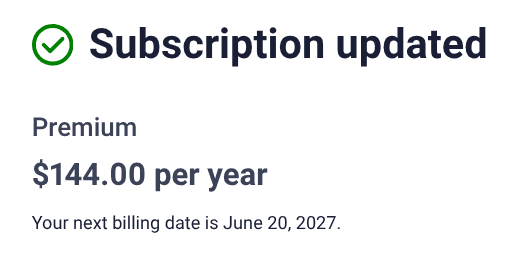
You’ll see a Subscription updated confirmation with your new plan and next billing date. Click Return to Filerev to use your new plan.
Subscribed through Apple?
If you bought your plan with an in-app purchase on an iPhone or iPad, it’s billed and managed by Apple rather than inside Filerev. Change or cancel it from your Apple subscription settings (or on your device: Settings → your name → Subscriptions).